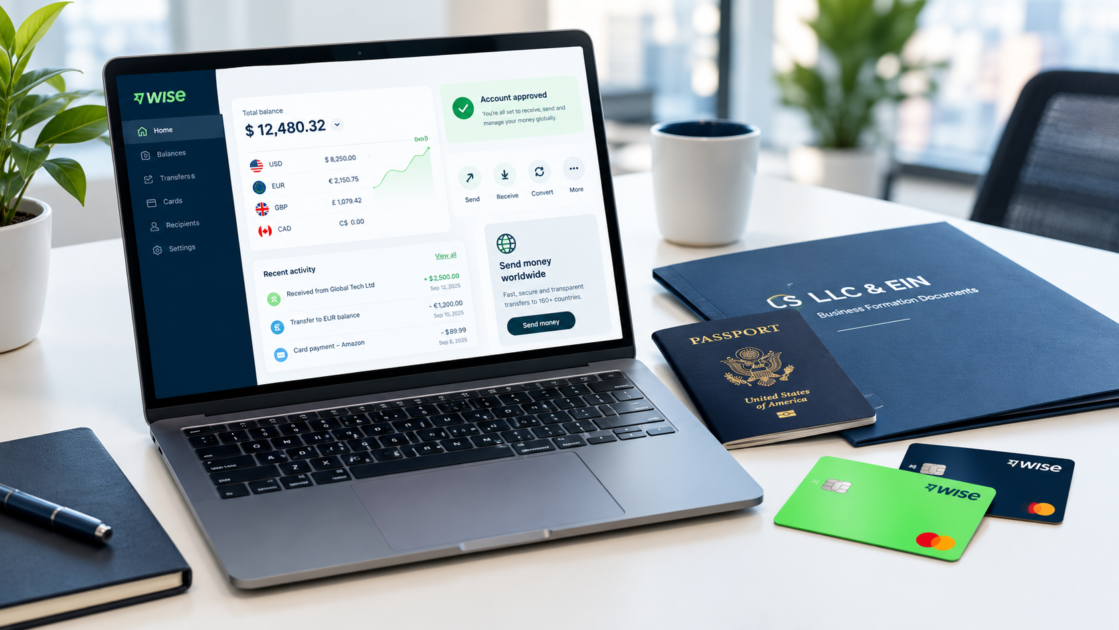

Navigating international cross-border banking as a foreign founder, freelancer, or e-commerce store owner often comes with strict regulatory hurdles. If you are looking to learn how to open a Wise account for non-US residents, this step-by-step guide covers everything you need to know about setting up a fully verified multi-currency financial hub without an SSN or ITIN.
Traditional United States brick-and-mortar financial institutions routinely demand a physical US presence, a Social Security Number (SSN), or an in-person branch visit. Fortunately, fintech platforms like Wise bridge this gap by delivering borderless multi-currency business and personal balance accounts directly to foreign founders.
At PayGlobalHub, we specialize in providing transparent financial infrastructure insights for global entrepreneurs. In this ultimate 2026 guide, we break down the exact verification, identity, and funding protocols required to operate a compliant account from anywhere in the world.
What Is a Wise Multi-Currency Account?
A Wise multi-currency account is a borderless digital financial platform that allows individuals and corporate entities to hold, send, receive, and convert funds in over 40 global currencies.
Unlike traditional SWIFT wire networks that charge hidden conversion spreads and unpredictable intermediary bank fees, Wise uses real mid-market exchange rates. Understanding how to open a Wise account for non-US residents enables remote founders to collect payouts natively via local US ACH routing details.
Key Benefits for Non-US Founders:
- Local US Account Details: Obtain an official US ACH Routing Number, Account Number, and Wire details without being a US citizen.
- Multi-Currency Flexibility: Manage USD, EUR, GBP, CAD, AUD, and SGD simultaneously within one centralized dashboard.
- Payment Gateway Integration: Collect funds directly from global platforms, including Stripe, PayPal, Amazon, Upwork, and Deel.
Wise Personal vs. Wise Business Account: Comparison
Selecting the correct account classification during initial registration is vital for compliance. Using a personal account for high-volume corporate payments is a leading cause of account suspensions.
| Criteria / Feature | Wise Personal Account | Wise Business Account |
| Best For | Independent freelancers & personal remittances | Foreign-owned US LLCs, agencies & e-commerce stores |
| Identity Setup | Personal Passport / National ID & Address Proof | Personal ID + IRS EIN Confirmation Letter |
| US Routing Number | Available in supported regions | Full global corporate banking details |
| Gateway Payouts | Personal usage only | Full integration with Stripe and merchant gateways |
| Setup Fee | Free | One-time global setup fee (~$31 USD) |
Pro Banking Tip: If you operate a foreign US entity, you will need a business tax ID before registering your corporate account. Read our step-by-step guide onHow to Get an EIN Number for Non-US Residents Without SSN.
Prerequisites: Documents Required Before Applying
Before initiating the application process, prepare the following verified documents to pass automated Know Your Customer (KYC) screening smoothly:
1. Valid Government Photo ID
- International Passport (Preferred): Machine-readable passport scans process within minutes.
- National ID Card: Must be printed in English or accompanied by an official translation.
2. Proof of Residential Address (Issued within 90 Days)
- Utility bill (Electricity, Gas, Water, or Fiber Internet).
- Official bank or credit card statement displaying your full legal name and physical address.
- Note: Screenshots, virtual mailboxes, and P.O. Boxes are automatically rejected.
3. Corporate Documentation (For LLCs)
- Articles of Organization / Certificate of Formation: Issued by your US state authority.
- IRS EIN Confirmation Letter (Form CP 575 or Letter 147C): Issued by the Internal Revenue Service.
Step-by-Step Guide to Opening a Wise Account for Non-US Residents
Follow this verified sequential workflow to complete your registration without encountering compliance blocks.
1.Account Registration & Verification:Do not use VPNs or proxy masks during application.
Visit Wise.com or download the Wise mobile application. Enter your primary business email and select either a Personal or Business account. Confirm your email via the activation link sent to your inbox.
2.Enter Personal & Legal Entity Information:Must match physical tax documents exactly.
When mastering how to open a Wise account for non-US residents, always select your true residential country. Providing authentic entity documents is the most important part of setting up a Wise account for non-US residents, as IRS registration data will be verified automatically against federal databases.
3.Document Upload & Biometric Selfie Scan:Complete via mobile device camera for precision.
Upload a high-resolution photo of your physical passport or ID card. Ensure all four corners are visible without camera flash glare. Complete the live 3D biometric facial scan via the mobile app interface.
4.Initial Account Opening Deposit:Deposit funds remain fully usable in your balance.
To generate your local US ACH routing and account numbers, complete the standard opening deposit (or business one-time activation fee) using an international credit/debit card or personal bank account in your name.
5.Compliance Review & Balance Activation:Verification standardly takes 24 to 48 hours.
Wise compliance officers evaluate your file under Anti-Money Laundering (AML) standards enforced by FinCEN. Upon approval, your USD ACH routing number, account number, and wire details will unlock instantly.
Linking Your Wise Account to Payment Gateways
Once your Wise account for non-US residents is approved, you can easily link your US routing and ACH account numbers to payment gateways for seamless business payouts:
- Stripe Payouts: Log into your dashboard, navigate to Settings $\rightarrow$ Payouts, and enter your Wise ACH routing and account numbers. For full integration instructions, read our tutorial on how to Set Up a Stripe Account for Non-US Residents.
- PayPal Merchant Integration: Navigate to Wallet $\rightarrow$ Link a Bank Account, input your Wise USD account details, and confirm the two micro-deposits sent by PayPal within 48 hours.
Backup Financial Infrastructure: To ensure operational continuity if one platform experiences delays, explore our side-by-side analysis on Mercury Bank vs Relay Financialto establish a secondary US banking partner.
Wise Fee Structure Overview (2026)
Understanding the fee schedule of a Wise account for non-US residents helps international business owners maximize their profit margins:
- Holding USD Balances: Free (Zero monthly maintenance fees).
- Receiving USD via ACH Direct Deposit: Free for standard electronic transfers.
- Receiving USD via Domestic Wire: Low fixed fee (~$4.14 USD per incoming wire).
- Currency Conversion Rates: Real mid-market rate with transparent fee between 0.33% and 0.5%.
Frequently Asked Questions (FAQs)
Can I open a Wise account without an SSN?
Yes. Non-US residents do not need an SSN. You can register using your home country passport for identity verification and an IRS EIN Number for business entity verification.
What should I do if my account verification gets delayed?
Check your app notifications for any document resubmission requests. Ensure your proof of address is uncropped, clearly readable, and less than 90 days old.
Final Verdict
Maintaining an active Wise account for non-US residents remains an indispensable, highly cost-effective solution for foreign entrepreneurs seeking long-term access to the US financial system. By submitting unedited identity documentation and maintaining strict compliance with federal guidelines, non-resident founders can run global operations effortlessly.
Disclaimer: PayGlobalHubis an educational finance platform and is not affiliated with Wise Ltd. or the IRS. For official legal and tax advice, consult a licensed CPA or corporate tax attorney.