
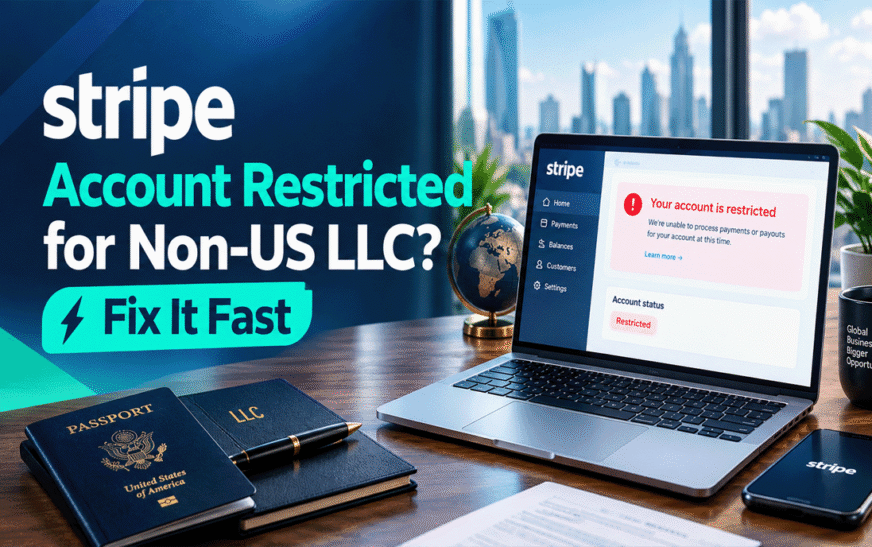
If your Stripe account is restricted as a non-US resident LLC owner, your payouts are paused, or Stripe is asking for a US Social Security Number (SSN), the first step is to identify exactly what Stripe wants you to verify. An EIN, passport, business address document, or bank statement may help with a specific verification request, but no single document guarantees that a restriction will be removed.
This guide explains how to troubleshoot a restricted Stripe account step by step. You will learn what to do when Stripe requests an SSN, rejects your business address, pauses payouts, or asks for additional information about your products and services.
Quick answer: Log in to your Stripe Dashboard, open the restriction notice, and review every outstanding requirement and deadline. Submit accurate information and genuine documents that match the specific request. If Stripe asks for an SSN or ITIN and you are a non-US individual, check the instructions for non-US representatives and provide your genuine local tax identification details and supporting documentation if requested. Do not enter a fake SSN, use another person’s identity, or replace your actual address with an address you do not occupy.
What Does a Restricted Stripe Account Mean?
A restricted Stripe account does not always mean the same thing as a closed account. Stripe may request additional information, review your business, pause payouts, block new payments, or decide it can no longer support your business.
Start by checking the exact status in your Dashboard.
| What you see | What it may mean | Your next step |
|---|---|---|
| Verification required | Stripe needs more information or documents | Open the request and submit the specified evidence |
| Under review | Stripe is reviewing submitted information or account activity | Monitor the Dashboard and respond to any new request |
| Payouts paused | Transfers to your bank account may be stopped | Check for missing verification, bank details, or other outstanding requirements |
| Payments blocked | You may be unable to accept new payments | Follow the stated verification or eligibility instructions |
| Account closed or unsupported | Stripe may have decided not to continue processing for your business | Read the closure notice and ask support whether any review or appeal is available |
These statuses are not interchangeable. Your exact Dashboard message is more useful than guessing from the word “restricted.”
Stripe explains that account verification requirements vary by country and can involve the individual, business, beneficial owners, address, bank account, and website. See Stripe’s official account verification guide.
Why Does Stripe Restrict a Non-US Resident’s LLC Account?
A US LLC owned by someone living abroad still has to meet Stripe’s applicable verification and eligibility requirements. A restriction may arise from one or more of the following issues.
1. SSN or ITIN verification request
Stripe may ask for personal tax identification details to verify the account representative or another person associated with a US business.
An EIN identifies the business for US federal tax purposes. It does not automatically verify the identity or tax details of the individual who owns the LLC.
Stripe’s guidance for US business representatives says that non-US individuals who do not have an SSN or ITIN may be asked to provide their local non-US tax ID and documentation confirming that they are not US taxpayers. The instructions shown for your specific account should take priority.
Read the official Stripe tax ID requirements for US business owners and representatives.
2. Business address verification rejected
Stripe may request additional proof that the business operates from the address entered in the account.
Potential problems include:
- An incomplete or incorrectly formatted address.
- An address that does not match the submitted documents.
- A registered-agent address being used as though it were an operating office.
- A virtual mailbox being entered into a field that requires a physical business location.
- Supporting documents that do not meet Stripe’s requirements.
Stripe’s standard US account guidance says businesses must provide the physical location where the majority of their business activity is carried out; PO Boxes are not accepted for this purpose.
Before buying a new address service, read our guide to virtual mailbox for US business bank account and understand the difference between a mailing address and a physical business address.
3. Business details do not match official records
A mismatch between your LLC’s legal name, EIN records, registered details, or Stripe account information can lead to additional verification.
Check the following carefully:
- Full legal company name, including punctuation and suffixes where applicable.
- EIN entered for the correct legal entity.
- Company registration details.
- Owner and account representative’s legal name.
- Address details requested by Stripe.
- The bank account holder’s name and account information.
Do not change correct information merely to make it look similar to a document. Correct genuine errors and follow Stripe’s instructions if official records themselves contain an error.
4. Stripe needs more information about your business
Stripe may need to understand what you sell, how customers pay, how you fulfil orders, or how your website relates to the account.
Common documentation requests may involve invoices, contracts, order records, tracking information, service agreements, or proof that you control the website connected to your account.
Provide records that reflect actual transactions and business activity. Do not create artificial invoices or supplier contracts just to satisfy a review.
5. Unexpected transactions, disputes, or business activity
A sudden change in transaction patterns, customer disputes, refunds, or a mismatch between your stated business model and actual transactions may lead to further review.
There is no universal transaction amount that guarantees a restriction. If Stripe asks about unusual activity, explain the actual reason for the transactions and provide genuine supporting evidence.
How to Fix a Restricted Stripe Account: Step-by-Step
Follow these steps in order. You do not need to submit every possible document if Stripe has not requested it.
Step 1: Open the Stripe Dashboard and read the full notice
Sign in through the official Stripe website or app that you normally use.
Look for the verification banner, account status, outstanding tasks, or requested information. Click the relevant notice to see exactly what needs attention.
Write down:
- The exact restriction or warning message.
- Each outstanding requirement.
- The submission deadline, if one is shown.
- Whether new payments are blocked.
- Whether payouts are paused.
- Which documents or explanations Stripe specifically requests.
Do not rely only on an email subject line. Sign in independently and confirm that the request appears in your Dashboard before uploading sensitive documents.
Step 2: Identify which part of the account needs verification
Before uploading anything, identify the specific field Stripe is trying to verify.
| Stripe request | Information or evidence to review |
|---|---|
| Business tax ID or EIN | EIN details and applicable IRS-issued confirmation or verification document |
| Personal identity | Valid government-issued identification accepted for your circumstances |
| Personal tax ID | The exact SSN, ITIN, or non-US tax ID instructions shown for the representative |
| Home address | The requested residential-address information and accepted proof |
| Business address | Evidence that meets the applicable business-address verification requirements |
| Bank account ownership | Official bank documentation matching the requested account details |
| Website or product verification | Accurate website information, product descriptions, customer terms, and genuine transaction records |
One document does not necessarily satisfy every requirement. For example, an IRS EIN letter verifies information about the business’s tax identification; it does not automatically prove an owner’s identity or physical address.
Step 3: Resolve the SSN request without providing false information
If Stripe is asking for a US SSN and you live outside the United States, do not enter a random number, use someone else’s SSN, or claim to be a US resident when you are not.
First, check which person Stripe is asking about. The request might concern the account representative, an owner, or another individual associated with the business.
Then review the official Stripe requirements for US business representatives and owners.
If you are a non-US individual without an SSN or ITIN, Stripe’s published guidance indicates that it may expect your local non-US tax ID and documentation confirming that you are not a US taxpayer. The exact instructions and available verification options depend on your account and circumstances.
If the Dashboard only offers an SSN or ITIN field and does not provide a suitable non-US option:
- Do not enter false information to bypass the field.
- Contact Stripe Support from your logged-in account.
- Explain that the account representative is a non-US resident and does not have a US SSN or ITIN.
- Ask which approved verification route and documents apply to your account.
- Keep the support response and follow any additional instructions provided.
An ITIN is not automatically required for every non-US Stripe representative, and applying for one does not guarantee account approval. Do not apply for a tax number solely on the assumption that it will remove the restriction; confirm your actual tax and verification requirements first.
Step 4: Correct your business address information
If Stripe rejected your business address, identify which address field is causing the issue.
Your LLC’s registered-agent address, mailing address, owner’s residential address, and operating address can serve different purposes. Do not assume that they are interchangeable.
Review Stripe’s official US account requirements and business address verification guidance.
If your address is correct but Stripe cannot verify it automatically, submit the specific supporting evidence it requests. Depending on the request, accepted examples may include an eligible signed lease or rental agreement, utility bill, tax return, or government-issued business document.
If you operate from outside the United States, disclose your genuine location and ask Stripe which address arrangement is eligible for your account. A virtual mailbox or registered-agent service should not be presented as a physical office if you do not actually operate from that location.
For more detail, read our guide to physical business address and registered-agent requirements.
Step 5: Submit the correct EIN and business documents
If Stripe specifically asks you to verify your LLC’s EIN or legal entity, review your official IRS records.
Documents that may be relevant, depending on the request, include:
- IRS EIN confirmation letter, such as CP 575.
- IRS EIN verification letter, such as 147C.
- Other IRS documentation specifically accepted for the verification task.
- Company formation or registration documents, if requested separately.
Make sure the company name and other details match the records Stripe is checking. Do not assume that an LLC formation certificate proves the EIN, or that an EIN letter satisfies every identity requirement.
If you have not obtained an EIN yet, see our guide to getting an EIN number for non-US residents without an SSN.
If you are still preparing your banking arrangements, you may also find our guide to an LLC bank account without an EIN useful. However, opening a bank account and satisfying Stripe’s verification are separate processes.
Step 6: Check your payout bank account
If Stripe has paused payouts, confirm whether the Dashboard identifies bank verification as an outstanding task.
Review:
- The bank account holder’s name.
- The legal business name associated with the Stripe account.
- The bank details and account number.
- Any requested bank statement or account ownership document.
- Whether the linked bank account is eligible for your Stripe account.
Stripe may ask for an official bank document that confirms the account holder and relevant account details. Follow the instructions shown for your account.
Do not assume that a bank account being active or approved elsewhere means Stripe has completed its own verification.
For more information about one possible banking option, read how to open a Mercury bank account as a non-US resident. Approval by a bank does not guarantee Stripe approval.
Step 7: Fix website and product information
If Stripe asks about your website or business model, review your website before submitting the response.
Your site should accurately explain what your business offers and how customers purchase those products or services. Where relevant to your business, make the following information easy to find:
- Business or brand name.
- Clear product or service descriptions.
- Pricing or an explanation of how customers receive a quote.
- Contact information.
- Refund, cancellation, or return terms appropriate to your business.
- Terms of service and privacy information, where applicable.
- Delivery or fulfilment details for physical products.
- Accurate subscription and recurring-payment terms, if applicable.
Only publish policies that reflect how your business actually operates. Do not copy another company’s policies without checking that they apply to your business.
If Stripe asks for proof of website ownership or evidence of fulfilment, provide the specific records requested, such as invoices, contracts, order confirmations, tracking details, or other genuine business documents.
Step 8: Submit a clear compliance response
After correcting the relevant details, submit your documents through the verification flow specified in your Stripe Dashboard.
Before submitting, check that:
- Every requested field has been completed accurately.
- Each document is legible and complete.
- The name and address correspond to the correct person or entity.
- Documents are current and in an accepted format.
- No pages or relevant information are missing.
- Your written explanation answers the actual question.
- You have not included unnecessary sensitive documents.
Keep a copy of what you submitted and the date of submission.
Do not repeatedly upload different documents without understanding the rejection reason. If Stripe rejects a document, read the explanation and ask which specific requirement remains unsatisfied.
Message Template: Contact Stripe Support
If the Dashboard does not explain how a non-US resident should complete the requested verification, use this template as a starting point. Replace the bracketed information with your actual details and remove anything that does not apply.
Subject: Clarification Needed — Verification Restriction on My US LLC Account
Hello Stripe Support,
My Stripe account is associated with [legal LLC name], a company registered in [US state]. I am the [owner/account representative] and currently reside in [country].
My Dashboard is requesting [exact verification requirement or error message]. I want to complete the verification using accurate information and documents that meet Stripe’s requirements.
I do not have a US SSN [include this only if true]. Could you please confirm which verification route applies to a non-US resident in my circumstances, including whether I should submit a local tax identification number or other supporting documentation?
The current outstanding requirement is [copy the exact requirement from the Dashboard]. Please also clarify whether my business address or payout bank account requires separate verification.
I can provide the relevant genuine documents through the official verification process.
Thank you for your assistance.
Regards,
[Your full legal name]
[Legal business name]
Security reminder: Send this message through Stripe’s official support channel. Do not include full tax identification numbers, passwords, or unnecessary identity documents in a general email.
What If Stripe Does Not Remove the Restriction?
Submitting documents does not guarantee reinstatement. The next step depends on the response Stripe provides.
If Stripe asks for additional documents
Read the new request carefully and submit the specific evidence required. Check whether the previous submission was incomplete, unreadable, expired, or inconsistent with the account details.
If Stripe says the account is still under review
Monitor your Dashboard and registered email address for further instructions. There is no universal timeline for every account restriction or risk review, so avoid relying on unofficial promises that your account will be restored within a fixed number of hours.
If Stripe says your business is unsupported
Ask whether the decision relates to your business activity, location, legal entity, or another eligibility requirement. If Stripe confirms that it cannot support your business, identity documents alone may not change that decision.
If Stripe has closed your account
A closed account is different from a temporary verification hold. Read the closure notice and ask Stripe whether a review or appeal is available. Do not create another account using altered details or another person’s identity to get around the decision.
If you need a different payment setup, first confirm that the alternative provider supports your country of residence, business model, and legal entity. Our guide to US LLC for Philippines Stripe integration may help readers exploring the relationship between a US LLC and payment processing, but eligibility must be checked for each provider.
How to Prevent Future Stripe Verification Problems
Once your account is operating normally, maintain accurate records and respond to new verification requests promptly.
Keep your business details consistent. Make sure the company name, EIN, ownership details, and address match the appropriate official records.
Keep transaction evidence. Maintain genuine customer invoices, contracts, delivery records, refund records, and supplier documents when relevant.
Describe your business accurately. Your Stripe account description, website, checkout pages, and actual transactions should reflect the same business model.
Manage customer disputes. Use clear billing descriptors, transparent refund terms, responsive customer support, and accurate delivery estimates.
Update details when your business changes. If your ownership, website, business address, products, or payout bank account changes, follow Stripe’s instructions for updating the account.
Respond before deadlines. Check your Dashboard and account email regularly so you do not miss an outstanding verification task.
Frequently Asked Questions
1. Can a non-US resident fix a restricted Stripe account without a US SSN?
Possibly, depending on the requirement and your circumstances. Stripe’s published guidance says non-US business representatives without an SSN or ITIN may be expected to provide their local non-US tax ID and documentation confirming that they are not US taxpayers. Follow the instructions applicable to your account; approval is not guaranteed.
2. Why is Stripe asking for an SSN when I have a US LLC and EIN?
An EIN identifies the business, while an SSN, ITIN, or applicable non-US tax ID relates to an individual. Stripe may need to verify both the company and the people associated with it. Providing an EIN does not automatically satisfy personal identity or tax ID requirements.
3. Does an EIN letter remove a Stripe restriction?
Not automatically. An IRS CP 575 or 147C letter may help verify the EIN if Stripe requests business tax identification evidence. It does not independently prove an owner’s identity, residential address, business operating address, or eligibility to use Stripe.
4. Can I use a virtual mailbox to resolve a Stripe business address rejection?
Do not assume so. Stripe’s standard US account guidance requires the physical location where the majority of business activity takes place and does not accept PO Boxes for that purpose. A virtual mailbox may be useful for correspondence but should not be presented as an operating office unless the arrangement genuinely meets the applicable requirements.
5. What documents should I upload when Stripe pauses payouts?
Start with the Dashboard’s outstanding requirements. Depending on the reason, Stripe may request identity, tax ID, business registration, address, bank ownership, website, or transaction documentation. Upload only the documents that address the specific request.
6. How long does Stripe take to remove an account restriction?
There is no guaranteed universal timeline. Some document checks may be completed quickly, while manual reviews, eligibility decisions, or complex account issues can take longer. Follow the deadline and status shown in your Dashboard.
7. Can I open a new Stripe account after a restriction?
Do not assume that opening a new account is an acceptable workaround. First establish whether the original account is temporarily restricted or closed and ask Stripe about the permitted next steps. Using another person’s identity or changing details to bypass a restriction can create further problems.
8. Will Mercury or Wise approval guarantee Stripe approval?
No. Banks and payment processors conduct their own verification. A verified bank account may help with a Stripe payout or ownership request, but it does not guarantee that Stripe will approve the business, address, or account representative.
Final Verdict
If your Stripe account is restricted as a non-US resident LLC owner, do not start by buying a new address, applying for an ITIN without checking the requirement, or uploading every document you have.
Start with the exact Dashboard notice. Identify whether Stripe needs personal identity verification, an individual tax ID, EIN confirmation, business address proof, bank account verification, or information about your products and services. Then submit accurate, relevant documents and ask Stripe for clarification when its instructions do not fit your circumstances.
A US LLC and EIN can be important parts of your business setup, but neither guarantees Stripe approval. The safest path is to use genuine information, follow the requirements for your account, and avoid shortcuts that misrepresent your identity or business location.
Disclaimer: This article is for educational purposes only and does not guarantee Stripe account reinstatement. Stripe’s requirements and eligibility rules may change. Always follow the instructions shown in your Stripe Dashboard and confirm account-specific questions directly with Stripe.